
You cross the finish line, stop your watch and immediately look down. 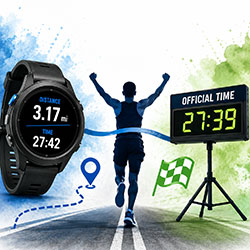
Your GPS says 3.17 miles.
But you just ran a certified 5K. Shouldn’t it say 3.10 or 3.11 miles?
Or maybe your watch shows a finish time of 27:42, while the official race results list your time as 27:39.
So which one is correct?
In most cases, both your GPS watch and the official race timing system are doing exactly what they are supposed to do. They’re simply measuring different things in different ways.
Understanding why can save you some confusion after your next 5K, 10K, half marathon or marathon.
Your GPS Watch Measures the Path You Actually Ran
One of the biggest misconceptions about race distance is that every runner travels exactly the advertised distance.
A properly measured 5K course is approximately 3.1 miles along the measured race route. But that doesn't mean every participant follows that exact line.
Think about a course with several turns.
The shortest route is generally found by running the most efficient line through those turns. If you swing wide around corners, move across the road to pass other runners, head toward a water station or weave through a crowded starting area, you're adding distance.
Those little additions may not seem like much, but over an entire race they can add up.
That's one reason your watch might show 3.15, 3.18 or another distance after completing a 5K.
The course didn't necessarily get longer. Your path through the course may have been longer.
GPS Isn't Perfect
There's another important factor: your watch doesn't continuously measure your exact location down to the inch.
GPS watches estimate your position using signals from satellites and then use a series of location points to calculate how far you've traveled.
Those measurements can be affected by your surroundings.
Trees, buildings, hills, sharp turns and other obstacles can reduce GPS accuracy. Your watch may occasionally place your position slightly to one side of where you actually ran.
Over the course of several miles, those small GPS variations can affect the total distance displayed on your watch.
That's why two runners who run beside each other for an entire race can cross the same finish line with slightly different distances showing on their watches.
Why Does My Watch Say I Ran More Than 3.1 Miles in a 5K?
This is probably the most common question runners have after a race.
Suppose you finish a 5K and your watch says:
3.16 miles
That doesn't automatically mean the race course was too long.
The difference could come from a combination of:
- Running wide around turns
- Weaving around other participants
- Moving across the road during the race
- GPS inaccuracies
- Tree or building interference
- Starting or stopping your watch before or after the actual timing points
Even a relatively small difference per mile can become noticeable by the time you reach the finish.
The Course Measurement and Your GPS Are Different Things
Officially measured race courses aren't normally created by having someone run the route while looking at a GPS watch.
For certified road races in the United States, courses can be measured according to established procedures designed to accurately determine the race distance.
There's also an important concept runners should understand: the shortest possible route.
A course is measured based on the shortest route a runner could reasonably take through the course.
Imagine making a 90-degree turn on a city street.
One runner takes the turn close to the inside edge.
Another runner swings several feet toward the outside before making the turn.
They both followed the race course, but they didn't travel exactly the same distance.
Multiply that difference across numerous turns and the second runner may travel noticeably farther.
Why Your Watch Time Can Be Different Too
Distance isn't the only thing that can be different.
Your watch time may also be slightly different from your official race time.
That's because your GPS watch and the race timing system aren't necessarily starting and stopping at exactly the same moments.
At many chip-timed races, your individual time begins when your timing chip crosses the starting timing point and ends when you cross the finish timing point.
Your watch depends on you.
Maybe you pressed Start two seconds before crossing the starting line.
Maybe you didn't hit Stop until several seconds after finishing.
Those seconds can create a difference between your watch and your official chip time.
Gun Time vs. Chip Time Matters Too
There's another number runners may see in race results: gun time.
Gun time generally begins when the race officially starts, regardless of when an individual runner crosses the starting line.
Chip time measures the time between an individual runner crossing the start and finish timing points when the event is set up to provide that measurement.
For example, imagine the race begins at 8:00 a.m., but because you're farther back in the crowd, you don't cross the starting line until 20 seconds later.
If you cross the finish timing point 30 minutes after the official start, you could have approximately:
Gun Time: 30:00
Chip Time: 29:40
Your watch might say 29:43 because you started it a few seconds before crossing the timing point.
Three different numbers—and none necessarily indicate that something went wrong.
What Time Should You Consider Your Official Finish?
When you're participating in an officially timed event, the race results are the official record of your performance.
Your GPS watch is still an incredibly useful tool. It can help you analyze your pace, heart rate, splits, cadence, elevation and other information about your race.
But your watch is your personal training device.
The event's timing system determines the official results.
That distinction becomes especially important when determining overall places, age-group awards and other competitive results.
What About Mile Splits?
You may also notice your watch beeps for a mile before or after you reach the race's physical mile marker.
Again, this doesn't necessarily mean one of them is wrong.
If you've already traveled slightly farther than the shortest measured route, your watch could reach one mile before you reach the course's first-mile location.
GPS variation can contribute to the difference as well.
The discrepancy can become more noticeable as the race gets longer.
How to Get a More Accurate GPS Reading During Your Next Race
You can't eliminate every GPS variation, but you can make your race data more useful.
Give your watch enough time to establish a GPS connection before the race begins. Once you're running, focus on taking efficient lines through turns when it's safe to do so.
Most importantly, don't become overly concerned when your watch doesn't beep exactly at every mile marker.
If you're racing for a particular finish time, course markers and official timing points can be valuable references alongside your watch.
Your Watch Is a Tool. The Results Are the Record.
GPS watches have transformed running.
We can finish a race and immediately see an incredible amount of information about how we performed.
But GPS technology isn't the same thing as official race measurement and timing.
So the next time you finish a 5K and look down to see 3.17 miles, don't automatically assume the course was long.
You may have run a little farther because of the route you took. Your GPS may have added some variation. You may have started your watch early or stopped it late.
That's all part of racing.
Use your watch to understand how you ran the race.
Use the official race results to find out how you finished it.